
GalleryVault ProKey: Hide Pics
GalleryVault Developer TeamVideo Players & Editors
4.81.20K Reviews
- Version
- 3.1.0
- Installs
- 50.00K
- Age Rating
- Everyone
Screenshots

Our Review of GalleryVault ProKey: Hide Pics
 Analysis by Appyee
I look at private-media apps differently from ordinary video players. When an app is asking me to place personal photos, recordings, documents, or other sensitive files behind a separate layer, convenience matters, but trust matters more. GalleryVault ProKey: Hide Pics is built around that exact need. It belongs to the video players and editors category, yet its practical role is closer to a private storage space for media and documents than to a conventional player.
My first impression is that the app makes a clear promise: keep selected files out of the normal gallery and make them available through a more private interface. That can be useful on a shared phone, during travel, or whenever I want personal files separated from the camera roll. At the same time, I would not treat any vault as a substitute for a complete backup strategy. The right way to use it is as a controlled access layer, not as the only place where irreplaceable memories or important documents exist.
The product is developed by GalleryVault Developer Team. It has been available since August 4, 2012, and the current version is 3.1.0. Its listed price is $14.99, which immediately changes how I judge it: I expect a paid utility to offer a focused experience and to justify becoming part of my daily privacy routine. It is rated for Everyone, and the minimum operating system is Android 6.0.
What the private vault actually changes in daily use
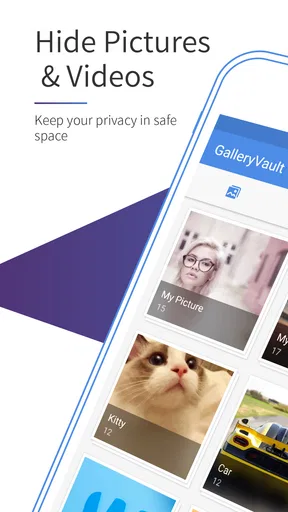
The central workflow is straightforward. I choose pictures, videos, audio files, or documents that I do not want sitting in the standard folders, then manage them inside the vault instead. This is more useful than simply renaming a folder or relying on an obscure location, because those improvised methods are easy to forget and often do little to prevent accidental discovery in gallery apps, file browsers, or media pickers.
A realistic example would be a family tablet or a phone that I regularly hand to someone else. I might want to show vacation pictures without exposing scanned paperwork, private recordings, or unrelated videos. Moving only the sensitive items into the vault lets me keep the ordinary gallery usable while reducing the chance that a casual swipe reveals something personal. The same arrangement can help when I keep work documents and personal media on one device.
It is also suitable for people who collect reference material. I could store private voice notes, clips that are not ready to share, or documents that I need to consult occasionally without mixing them into everyday folders. The important distinction is that the app is not just about hiding photographs. Its stated scope includes several file types, so I can organize a broader private collection instead of maintaining separate tricks for images, audio, and documents.
That broader scope creates one practical responsibility: I need to decide what belongs in the vault before moving files. A private area can become messy just as quickly as a normal gallery. I would use simple groups based on purpose, such as personal media, work material, and temporary files, and periodically remove items that no longer need special handling. The app can reduce visibility, but it cannot make an untidy collection easy to manage by itself.
SD card support is useful, but it changes the risk calculation
Support for an SD card is one of the more meaningful details here. On a device with limited internal storage, large videos and audio files can consume space quickly. Being able to work with removable storage gives me more room and can make the vault practical for a larger collection. It also means I should think carefully before moving a card between devices, because private files stored on removable media deserve the same care as files kept internally.
For me, SD support is most valuable in a phone used for recording or collecting media. I can keep the everyday camera roll relatively light while placing less frequently accessed material on the card. The trade-off is less simplicity: removable storage can be removed, misplaced, or handled by another person. I would label the card discreetly, avoid leaving it loose, and keep another secure copy of anything that cannot be replaced.
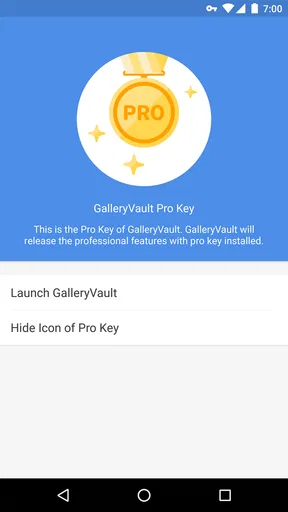
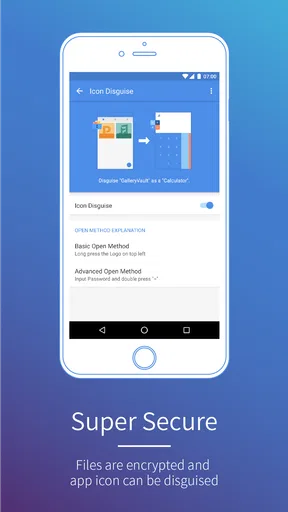
The app’s ability to hide its icon is another control worth considering. This can reduce casual discovery when someone browses the home screen, but I would not confuse an absent icon with complete invisibility. A person who knows a vault is installed may still look for it through device settings or other routes. In my view, hiding the icon is best used as a low-profile convenience, not as the main protection for highly sensitive material.
Where it fits beside ordinary gallery and file apps
A normal gallery is better when my priority is speed, automatic sorting, editing, and effortless sharing. It is designed to make media visible, searchable, and ready to send. GalleryVault ProKey: Hide Pics takes the opposite approach for selected files. Its value appears when reduced visibility matters more than instant access.
A standard file manager is more flexible for moving, renaming, and inspecting folders, but it usually does not provide the same focused private-media workflow. Cloud storage may be better for synchronized access and recovery across devices, while a vault is more suitable when I want files kept on the device or its supported storage. These are not interchangeable choices. I would use a cloud backup for resilience, a file manager for broad organization, and this app for a deliberately separated private collection.
The paid price also makes comparison important. If I only need to hide one or two harmless pictures from a shared gallery, a dedicated vault may feel excessive. If I regularly handle private documents and mixed media, the ability to keep several file types together can make the purchase easier to justify. I would decide based on the routine I actually need, rather than assuming that every privacy concern requires a separate app.
Controls, trust, and the moments that need extra care
I treat privacy tools as part of a routine, not as a switch that makes every file safe. In this section, I focus on checking how GalleryVault ProKey behaves on your own device, keeping access habits consistent, and slowing down around storage changes or sensitive files. That practical discipline matters just as much as choosing what to place inside the vault.
Use visible choices instead of treating privacy as magic
My preferred setup would begin with a small, deliberate test collection. I would move a few nonessential pictures, a short video, an audio file, and a document, then check that each item appears where I expect inside the vault and no longer behaves like an ordinary gallery item. This test is especially sensible before moving a large archive or using an SD card. It gives me a chance to understand the workflow without putting important files at risk.
I would also keep the original files until I was satisfied that the transfer worked correctly. After that, I would verify the result from the places where accidental exposure usually happens: the gallery, a file browser, and the share picker. This is not about assuming that the app handles every Android media path identically. It is a practical check that shows me how the current device behaves and whether the separation is good enough for my needs.
When I finish using a file, I would decide whether it should remain hidden, return to ordinary storage, or be deleted. That decision is easy to postpone, and postponed decisions turn private vaults into archives that nobody reviews. A short monthly cleanup is more useful than hiding everything permanently. It also reduces the chance that I forget why a document or recording was placed there.
The most important habit is to test recovery before trusting the vault with irreplaceable files. I would confirm how I can access a test item after restarting the phone, changing storage conditions, or temporarily removing the SD card. A vault should fit into my recovery plan rather than becoming a single point of failure. I would retain a separate, secure copy of important documents and memories.
Data-sensitive situations deserve a slower workflow
Privacy is not limited to whether an item is visible in a gallery. File names, thumbnails, recent-item screens, notifications, backups, and sharing actions can all affect exposure. I would therefore avoid descriptive names for especially sensitive files and would pay attention to what appears when I open or share an item. The app’s purpose is clear, but my surrounding Android setup still influences how private the overall workflow feels.
I would be particularly careful on a device that belongs to an employer, school, or family member. A vault may help organize personal material, but it does not change ownership or administration of the phone. On a managed device, the safest choice may be not to store personal sensitive files there at all. Likewise, if several people know the device passcode, hiding an icon alone is a weak solution.
Before uninstalling the app, I would move or export anything I still need and confirm that the files are readable outside the vault if that is part of my long-term plan. I would not delete the app casually while assuming hidden files will automatically return to an obvious location. This is one of the less glamorous but more important parts of using any private-storage tool: understand the exit path before committing a large collection.
The same caution applies after changing phones. I would not assume that installing the app on a new device automatically recreates the old private collection. I would prepare a controlled migration using test files first, then move the rest only after confirming that the new device can access them properly. That extra step is inconvenient, but it is preferable to discovering a migration problem after wiping the old phone.
Who will appreciate it, and who should skip it
I think this app is a good match for someone who wants a focused place for private pictures, videos, audio, and documents, especially when the normal gallery is shared or too exposed. SD card support makes it more attractive to people with large media collections or devices where internal storage is limited. The hidden-icon option can also appeal to users who want the app to stay unobtrusive in everyday use.
I would recommend a different approach to someone whose main requirement is automatic cross-device backup, collaboration, or advanced photo editing. A conventional cloud service or gallery may serve those goals better. I would also hesitate to recommend this as the only protection for highly sensitive business records or irreplaceable personal archives. The more important the files, the more I want independent copies and a clearly tested recovery process.
People who frequently share files may find the privacy workflow slower than using the standard gallery. Moving an item into a vault and later bringing it back adds friction, and that friction is intentional. It discourages accidental sharing, but it can become annoying if I need to send the same files repeatedly. In that situation, a carefully organized ordinary folder with device-level security may be more convenient, depending on the user’s priorities.
The audience rating of Everyone makes the app broadly approachable, but that should not be read as a guarantee that every household setup is equally private. A child using a shared device, a guest browsing an unlocked phone, and an owner of a personal locked phone all face different risks. I would judge the app alongside the device passcode, storage habits, and who can physically access the phone.
My measured verdict after weighing the trade-offs
GalleryVault ProKey: Hide Pics has a narrow purpose, and that is a strength. It gives me a way to separate sensitive media and documents from the ordinary gallery, supports SD card use, and can stay visually unobtrusive by hiding its icon. Those choices make sense for a private collection that I still want available on the device.
Its limitations are equally clear. A hidden icon is not the same as comprehensive protection, removable storage introduces handling concerns, and a vault should not replace backups or a tested migration plan. The extra steps can also feel unnecessary for people who already use strong device security and have little need to conceal files from casual gallery browsing.
The app has an average rating of 4.8 from around 12 thousand ratings, with roughly 1.2 thousand written reviews and over 50 thousand installs. Those figures suggest that it has attracted a focused user base, but I would still make the decision based on my own workflow rather than popularity alone. Since it costs $14.99, I would first define exactly what I want to hide and how often I expect to retrieve it.
My recommendation is cautious but positive: choose it if you want a dedicated private area for mixed media and documents, and if you are willing to maintain backups and test the recovery path. I would not choose it merely because the name sounds secure, nor would I place my only copy of essential files inside it. Used as one layer in a sensible privacy routine, it can be practical; used as a complete answer to every data concern, it asks for more trust than I am comfortable giving any single app.
Verdict
Strengths of GalleryVault ProKey: Hide Pics
- Keeps private photos and videos separate from the main gallery.
- Supports multiple media formats for flexible file storage.
- Disguised app icon can make the vault less noticeable.
- Useful for protecting files on shared or borrowed devices.
- Offers quick access to hidden content after unlocking.
Limitations of GalleryVault ProKey: Hide Pics
- Forgetting the password may make recovery difficult or impossible.
- Some features may require the companion GalleryVault app.
- Hidden files can be lost if the app is removed without a backup.
- Older devices may experience slower loading with large vaults.
- Privacy depends on keeping your device and backup accounts secure.
Other Releases by GalleryVault Developer Team
View All
Gallery Vault-Hide Photo Video
Video Players & Editors4.4
Similar Picks in This Category
View All
Google TV
Google LLC3.9

iTunes
Apple4.7

YouTube
Google LLC3.8

MX Player
Amazon Mobile LLC4.2

CapCut - Video Editor
Bytedance Pte. Ltd.3.5

PLAYit-All in One Video Player
PLAYIT TECHNOLOGY PTE. LTD.4.5
Frequently Asked Questions
What is GalleryVault ProKey: Hide Pics used for?
GalleryVault ProKey: Hide Pics is designed to protect private photos, videos, and other files by moving them into a secured vault rather than leaving them visible in the standard gallery. After testing the app’s main functions, its appeal is mainly privacy and organization: users can browse protected media inside the vault while keeping it separate from regular albums. It is not a replacement for a complete device backup system, however, so important files should also be stored safely elsewhere.
How does GalleryVault ProKey protect hidden photos and videos?
The app typically places selected media behind an access screen that may use a password, PIN, pattern, or another supported authentication method, depending on the version and device. Once files are imported, they should no longer appear in the ordinary gallery, making casual discovery less likely. Users should choose a password they can remember and avoid relying on secrecy alone, because anyone who gains access to the unlocked device or recovery method may still be able to reach the protected content.
Is GalleryVault ProKey: Hide Pics free to download and use?
Availability and pricing can vary according to the Android or iOS store listing, region, and the version installed. The ProKey edition is generally associated with unlocking premium features or removing limitations from the main GalleryVault application, so users should carefully check whether the key works independently or requires the companion app. Before downloading, review the current store description, in-app purchase information, advertisements, and subscription terms to avoid unexpected charges.
Can I recover my files if I uninstall the app or forget my password?
Recovery depends on the app version, the device, and whether a backup or recovery option was configured beforehand. Uninstalling a vault application without exporting protected files can potentially make them inaccessible, particularly if the files were moved into private storage rather than simply hidden. For that reason, users should test the restore process with nonessential media, enable any available recovery feature, and keep an encrypted backup before changing phones, resetting the device, or removing the application.
Is GalleryVault ProKey safe and compatible with every phone?
GalleryVault ProKey can be useful for basic personal privacy, but safety and compatibility should be judged from the official store listing, developer information, permissions, update history, and user reviews. The app may need access to photos, videos, storage, or notifications to perform its functions, and those permissions should match its stated purpose. Compatibility can differ across Android versions, iOS releases, screen sizes, and manufacturer security systems, so install it only from a trusted source and verify that importing and restoring files work correctly on your device.
